 NL
NL DE
DE FR
FR


Added to Cart Successfully
QTY: 1


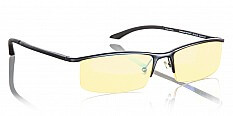
Your Vision Insurance, flexible spending accounts (FSA), and health savings accounts (HSA) can be used towards a new pair of GUNNAR glasses. GUNNAR prescription glasses are typically eligible under all three plans, and GUNNAR glasses with GUNNAR-Focus or Reading lenses may be eligible. So, whether you're using an FSA or HSA debit card or need a receipt for your insurance provider, all the resources are available right here. Check out the information below for instructions to submit an out-of-network claim to your vision insurance for reimbursement.

Follow these easy steps to submit an out-of-network claim for reimbursement through VSP. Every plan is a little different, so be sure to contact VSP directly for details on your out-of-network benefits and eligibility.
Questions about your claim? For help submitting your claim, or to check the status of your reimbursement, call VSP Member Services at (800) 877-7195.

Need to make an out-of-network claim for your new GUNNAR glasses? Follow these 4 easy steps to make your reimbursement claim through EyeMed. Before you get started, be sure to confirm your plan's out-of-network benefits and eligibility by contacting EyeMed directly.
Questions about your claim?
For help submitting your claim, or to check the status of your reimbursement, log in to your EyeMed Web account or call member services at (866) 939-3633.

Follow these easy steps to submit an out-of-network claim for reimbursement through United Healthcare. Every plan is a little different, so be sure to contact United Healthcare directly for details on your out-of-network benefits and eligibility.
Questions about your claim?
For help submitting your claim, or to check the status of your reimbursement, log in to your UHC Vision account or call Customer Service at (866) 760-1274.
Follow these easy steps to submit an out-of-network claim for reimbursement through Humana Vision Care. Every plan is a little different, so be sure to contact Humana directly for details on your out-of-network benefits and eligibility.
Questions about your claim?
For help submitting your claim, or to check the status of your reimbursement, call the Humana Customer Care Center at (866) 537-0229.
Follow these easy steps to submit an out-of-network claim for reimbursement through Davis Vision. Every plan is a little different, so be sure to contact Davis Vision directly for details on your out-of-network benefits and eligibility.
Questions about your claim?
For help submitting your claim, or to check the status of your reimbursement, log in to your Davis Vision account or call customer service at (800) 999-5431.
Follow these easy steps to submit an out-of-network claim for reimbursement through Spectera. Every plan is a little different, so be sure to contact Spectera directly for details on your out-of-network benefits and eligibility.
Questions about your claim?
For help submitting your claim, or to check the status of your reimbursement, log in to your Spectera account or call Customer Service at (800) 638-3120.
Follow these easy steps to submit an out-of-network claim for reimbursement through Aetna. Every plan is a little different, so be sure to contact Aetna directly for details on your out-of-network benefits and eligibility.
Questions about your claim?
For help submitting your claim, or to check the status of your reimbursement, log in to Aetna Vision or call the Customer Care Center at (877) 973-3238.
Follow these easy steps to submit an out-of-network claim for reimbursement through Cigna Vision. Every plan is a little different, so be sure to contact Cigna Vision directly for details on your out-of-network benefits and eligibility.
Questions about your claim? For help submitting your claim, or to check the status of your reimbursement, log in to your Cigna Vision account or call Customer Service at (877) 478-7557.
Don't see your provider? Contact your insurance company directly for instructions on applying for an out-of-network reimbursement.
Please enter your email address and subscribe!